CEFREF / USER GUIDE
Settings
A clear map of the options in your CEFREF app. Open Settings from the bottom navigation to find them.
THE SETTINGS MENU
Find your way around.
The menu groups diary controls, your data, app information and account options. The guide below follows those same branches.
Explore the settings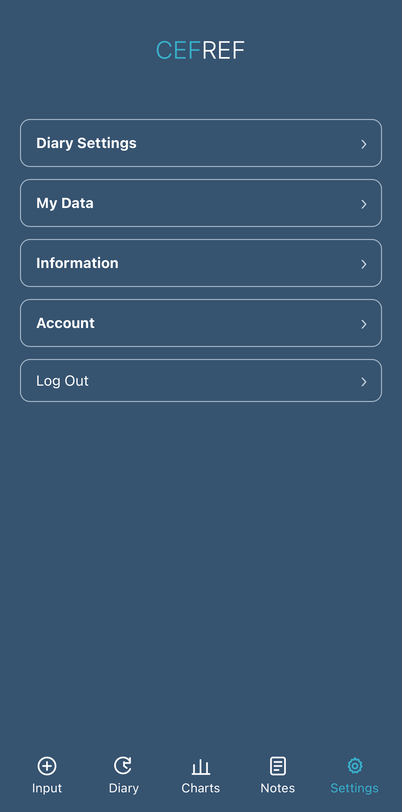
SETTINGS / AT A GLANCE
A place for everything.
Follow a category to see what you can find inside. Available options may vary by account.
Diary Settings
How your diary appears and when it reminds you.
My Data
Available ways to get or remove your diary data.
Information
App information and policies.
Account
Your identifier, Project participation and account controls.
Log Out
End your current CEFREF app session.
Important
CEFREF is a recording and review tool, not a diagnostic service or a substitute for medical assessment. Seek appropriate medical advice for new, severe or changing symptoms.